
Date: 29 July 2026
DORA compliance conversations tend to focus on ICT risk management frameworks and third-party oversight. What gets less attention is the thing supervisors actually check first during an incident: whether the financial entity had its incident response documentation in place before the incident happened, not assembled afterwards.
DORA is enforced through fixed reporting deadlines and prescriptive documentation requirements under its Regulatory Technical Standards (RTS) and Implementing Technical Standards (ITS). If your classification criteria, notification templates and evidence logs don't already exist in usable form, you cannot produce them accurately while your team is also containing a live ICT incident.
The DORA Reporting Clock Runs on Documentation
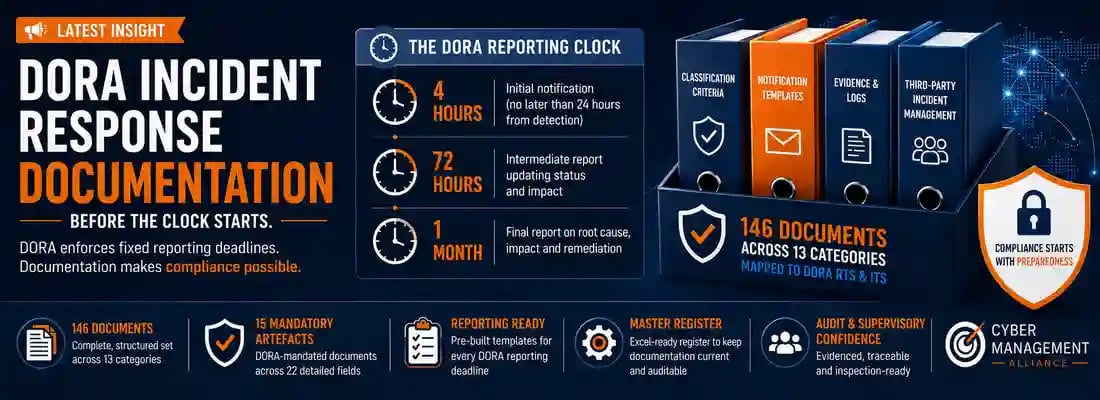
DORA enforces major ICT-related incident reporting against three fixed deadlines:
- 4 hours from classification (and no later than 24 hours from detection) — the initial notification to your competent authority.
- 72 hours from the initial notification — an intermediate report updating the incident's status and impact.
- One month — a final report covering root cause, impact and remediation measures.
Each deadline depends on a document that has to exist before the clock starts: classification criteria that let your team decide "major" versus "non-major" within minutes, an initial notification template pre-mapped to RTS/ITS fields, an intermediate report template, and a final report template. Entities that try to draft these mid-incident consistently miss the clock — and missing it is a compliance failure independent of how well the technical response performed.

Mapping the Real Scope: 146 Documents Across 13 Categories
DORA incident response documentation is not "an IR plan plus a reporting form." It spans governance and policy, detection intake and triage, DORA incident classification, regulatory reporting, incident response and recovery, evidence and audit trail, third-party incident management, business impact and operational resilience, communications, privacy and legal, root cause and lessons learned, testing training and improvement, and the registers and trackers that hold it all together.
Laid out in full, that's 146 distinct documents across those 13 categories, each one mapped to the specific DORA article, RTS or ITS it satisfies. The DORA Incident Response Document Library is built around exactly this scope — instead of starting from a blank page, it gives you the full structured set with nothing left to guesswork about which article each document is meant to evidence.
The 15 Artefacts DORA Actually Makes Mandatory
Of the 146, a subset of 15 documents are the artefacts DORA explicitly makes mandatory — incident classification criteria, the initial notification, intermediate report and final report templates, and equivalent core instruments. These are what a competent authority or your ICT third-party risk oversight function will ask for first.
Because they carry direct regulatory exposure, the document library specifies each of these 15 across 22 detailed fields — purpose, owner, approver, DORA/RTS/ITS reference, lifecycle stage, retention and dependencies — so mandatory artefacts are never confused with recommended or best-practice ones.
From List to Living System: Why You Need a Master Register
A static list of 146 documents goes stale within a quarter — owners change, review dates lapse, and RTS/ITS guidance gets updated. That's the problem the DORA Master Document Register for ICT Incident Response solves.
It's an Excel-ready register pre-populated with every document, tracking Document ID, title, category, owner, approver, DORA/RTS/ITS mapping, mandatory-or-recommended status, format, review frequency, retention period, current status, version, review dates, linked documents and evidence location — all in one structured sheet you drop straight into Excel, SharePoint or your GRC platform.
As the register's own FAQ makes clear, it isn't the same resource as the document library: the library explains what documents are required and provides the detailed profiles; the register is the working control sheet you actually maintain against those requirements. Used together, one tells you what "complete" looks like, the other keeps you there.

Common Documentation Mistakes That Undermine DORA Readiness
- Confusing "having an incident response plan" with being DORA-ready. DORA expects an evidenced chain from detection through classification, notification, evidence and root-cause analysis — the plan is one artefact among 146.
- No pre-built classification criteria. Without documented thresholds, teams lose the first hour of the 4-hour clock just debating whether an incident is "major."
- Documents with no named owner or approver. DORA's RTS expects governance accountability per artefact, not a shared folder nobody reviews.
- Third-party incident documentation treated as an afterthought. DORA's ICT third-party risk provisions mean incidents originating with a critical ICT provider still require your own documented response and reporting trail.
- Templates that have never been rehearsed under time pressure. A notification template nobody has completed in a live drill will produce errors on the day the 4-hour clock is actually running.
A Practical Path to Getting Your Documentation in Order
- Benchmark your current documentation against the full 146-document scope in the DORA Incident Response Document Library.
- Prioritise the 15 mandatory artefacts first — classification criteria and the three reporting templates carry the most immediate supervisory exposure.
- Import the DORA Master Document Register as your working control sheet rather than building a tracker from scratch.
- Assign an owner and approver to every document, mapped to its DORA article, RTS or ITS reference.
- Run a tabletop exercise against the 4-hour and 72-hour clocks speci
- fically — a document review alone won't surface whether your team can actually classify and notify inside the real deadlines.
Key DORA Terms
- Initial Notification (4-Hour Notification): The first report a financial entity must submit to its competent authority within 4 hours of classifying an incident as major, and no later than 24 hours from becoming aware of it.
- Intermediate Report (72-Hour Report): The follow-up report due within 72 hours of the initial notification, updating the incident's status and impact assessment.
- Final Report (One-Month Report): The closing report due within one month, covering root cause, impact and the remediation measures taken.
- Major ICT-Related Incident: An ICT-related incident that meets DORA's classification thresholds for severity, based on criteria such as clients affected, service downtime, data losses, economic impact and reputational impact.
- Financial Entity: An organisation within DORA's scope — including banks, insurers, investment firms, payment institutions and other regulated financial services entities.
- Register of Information: The DORA-mandated register financial entities maintain of all contractual arrangements with ICT third-party service providers.
- Master Document Register: The maintained control sheet listing every DORA incident response document, its owner, approver, review date, retention period and regulatory mapping.
- Mandatory Document Profile: A detailed, 22-field specification for one of the 15 artefacts DORA explicitly requires.

Frequently Asked Questions about DORA Documentation
1. What documents does DORA require for ICT incident response?
DORA requires a full documentation set spanning governance, detection, classification, regulatory reporting, response, evidence and third-party incident management, not just an incident response plan. A complete mapping covers 146 documents across 13 categories, of which 15 are explicitly mandatory.
2. How many documents do I need for DORA compliance?
There's no single number that fits every financial entity, but a comprehensive baseline runs to 146 documents across the incident lifecycle. The 15 mandatory artefacts — classification criteria and the three reporting templates chief among them — should be your non-negotiable starting point.
3. What are DORA's incident reporting deadlines?
DORA enforces a three-stage clock for major ICT-related incidents: an initial notification within 4 hours of classification (and no later than 24 hours from detection), an intermediate report within 72 hours of the initial notification, and a final report within one month.
4. What's the difference between the DORA Document Library and the Master Document Register?
They're a paired resource, not duplicates. The DORA Incident Response Document Library explains what documents are required and provides the detailed profiles for the 15 mandatory artefacts. The DORA Master Document Register is the Excel-ready control sheet you maintain against that requirement, tracking ownership, approvals and review schedules.
5. Which DORA documents are legally mandatory versus recommended?
Fifteen artefacts are mandatory under DORA's RTS and ITS — primarily incident classification criteria and the initial, intermediate and final reporting templates. The remaining documents across the 13 categories are recommended governance, evidence and resilience documentation that strengthens your compliance posture without being explicitly named in the technical standards.
6. Who should own DORA incident response documentation within a financial entity?
Ownership should be assigned per document rather than centralised. This typically splits across the CISO or ICT risk lead for detection, classification and technical response documents, compliance or legal for regulatory reporting artefacts, and procurement or third-party risk for ICT third-party incident documentation — all tracked in one register with a named owner and approver per row.
7. How does DORA's third-party ICT risk regime affect incident documentation?
Incidents originating with a critical ICT third-party provider don't remove your own reporting obligation. You still need documented processes for detecting, escalating and reporting incidents that originate in a supplier's systems, plus the register of information covering your ICT third-party contractual arrangements.
8. Can I import the DORA document library and register into my existing GRC tool?
Yes. The master register is supplied as an Excel-ready CSV that imports directly into Excel, SharePoint or a GRC platform, so it can sit alongside your existing risk and compliance tooling rather than replacing it.
.webp)


.webp)