
Date: 30 May 2026
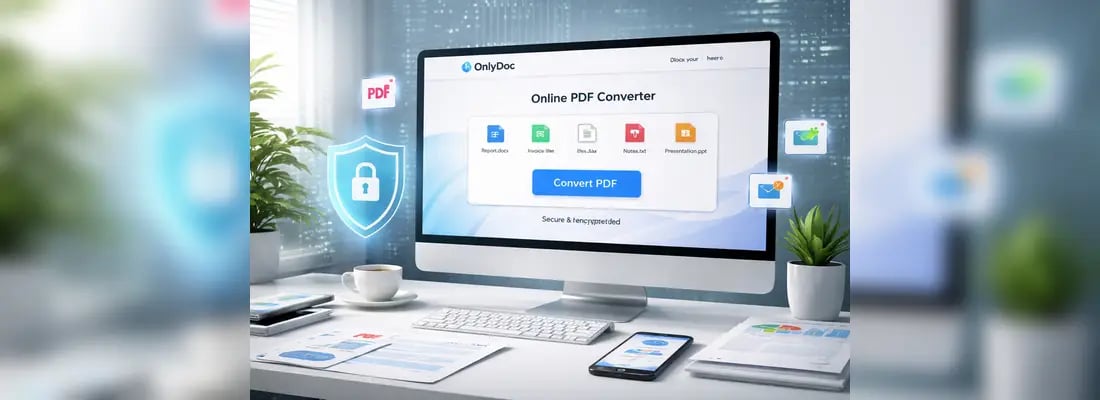
With nearly 2,000 global cyber attacks occurring every week, keeping your files secure is more important than ever. Even though PDF is the safest document format, you should still be cautious when processing your files using third-party tools. Online converters are no exception.
Many platforms promise to convert document formats without hassle, but not all of them protect your files and personal data properly. In this guide, we’ll compare free versus paid online tools, as well as share some practical tips on how to find a secure PDF converter.

Free versus Paid Online PDF Converters
Online converters have already become a lifesaver for millions of people worldwide. They change document formats in seconds and run in a regular web browser, meaning that you can manage your files easily, even on the go.
But is a PDF converter safe if it’s free? There’s a common misconception that expensive equals secure, but this is not always the case.
We’ve covered both free and paid platforms to identify a better option for online conversions.
|
Free Converters |
Paid Converters |
|
|
Data privacy |
High, because you typically don’t need to create an account. This means that your personal information isn’t stored in the database. |
Moderate, since paid converters require your email, credit card, and personal data for billing. |
|
File handling |
Your files are automatically deleted after conversion. |
Converted PDFs are often archived for user history. You may need to delete each file manually. |
|
Encryption |
Implement SSL encryption to protect the data sent between your browser and the website. |
Uses similar SSL encryption protocols. |
|
Cost efficiency |
No upfront costs for everyday tasks. |
Monthly or annual fees. |
|
Accessibility |
Instant access without subscriptions. |
Requires registration and payment. |
Why Security Matters
Most people focus on the speed and convenience of a PDF converter, but security should be the top priority when managing files online.
Here’s why it matters:
- Protection of personal information: Documents often include names, addresses, phone numbers, and other personal information that should always remain confidential.
- Prevention of data leaks: Reliable security measures prevent hackers from accessing the documents users upload.
- Safe file storage: High-quality, secure PDF converters don’t store your documents for long periods. These platforms also never sell your data to third parties.
- Protection against malware: Untrusted online converters may expose users to malicious downloads or infected files.
- Good business reputation: For companies, a data leak can result in a breach of client confidentiality and loss of trust. Different legal consequences are also possible.
- Peace of mind: With a truly secure PDF converter, you can convert documents without worrying about privacy risks.

Why Users Choose Free Online Tools
Many paid platforms justify their subscription fees by offering users a broader range of document management tools and advanced editing capabilities. But the point is that people seeking to convert their files quickly and easily rarely use all those features, which results in unnecessary expenses.
That’s why many users find free online PDF converters a practical alternative. To say more, some of these tools also offer advanced features, though their number is limited compared to paid platforms. Consider the key reasons why users are increasingly switching to free converters:
- No subscription costs
- Full anonymity and privacy
- No need to disclose credit card details and personal data
- Quick access without registration
- Beginner-friendly interface
- Compliance with modern security standards
OnlyDoc Online PDF Converter: Safe & Secure Solution for Everyday Needs
OnlyDoc is a free online tool that allows users to manage their PDFs on any device. Besides changing file formats, you can also use it to compress and translate documents, make scans editable, summarize lengthy PDFs, and more.
The platform supports dozens of file types and delivers accurate conversion results. But, most importantly, OnlyDoc implements reliable security measures to keep your data protected. Here’s what makes it a safe PDF converter:
- Industry-standard SSL encryption
- Adherence to GDPR requirements
- Automatic file deletion
- Secure authentication and server-side protection
- Compliance with DMCA regulations
- Recognized as safe by Google Safe Browsing
- Verified by Norton Safe Web

How to Convert Your Files Using OnlyDoc
OnlyDoc has an intuitive interface that lets you change document formats effortlessly. The whole process takes seconds; you just need an internet connection to get things done. Here’s how to use OnlyDoc’s secure PDF converter for free:
- Open OnlyDoc in any web browser you have
- Go to the Convert PDF tab and choose if you want to transform your file from or to PDF
- Select the needed conversion pair (e.g., PDF to JPG, Excel to PDF, or PDF to MOBI)
- Upload your file
- The file will be converted immediately – click Download when it’s ready.
Conclusion
In a world where data security is under constant threat, choosing a reliable platform for document management is essential. Fortunately, modern free tools like OnlyDoc prove that you no longer have to sacrifice safety for quick and easy PDF conversions.
It’s also useful to learn how to secure a PDF and keep your data protected when sharing files online – a strong password and editing restrictions will help you greatly. By leveraging smart security practices, you can manage your files confidently every day.
.webp)
.webp)
.webp)