Date: 23 April 2026
.webp?width=1170&name=Best_VPNs_for_2026_cropped%20(1).webp)
Streaming VPNs in 2026 are not just laptop privacy tools. The best ones now support smart TVs, Apple TV, Fire TV, routers, and multi-device households while still encrypting traffic and masking your IP. That matters because a lot of streaming now happens on hotel Wi‑Fi, dorm networks, shared home connections, and mobile devices where privacy, setup flexibility, and stable routing matter just as much as raw speed.
There is also a practical reality most roundup articles skip: even the biggest VPN brands keep active streaming help centers and troubleshooting pages. That is a strong hint that compatibility changes over time, so the most trustworthy way to compare streaming VPNs is to look at what providers themselves officially support today: streaming-focused features, TV compatibility, device limits, server footprint, and current pricing.
For this list, Mysterium VPN is placed first as requested, and the rest are ordered by how strong their official streaming positioning looks right now, especially for TVs, travel, multi-device use, and overall setup flexibility.

What Is a Streaming VPN and Why Is It Important?
A streaming VPN is simply a VPN you use while watching content online. At the technical level, a VPN creates an encrypted tunnel for your traffic and masks your IP address, which can improve privacy and make it harder for ISPs, network operators, or other third parties to inspect what you are doing online.
For streaming, that matters for three main reasons. First, it can give you more privacy while watching on public or shared networks. Second, several VPN vendors explicitly position their products as a way to reduce activity-based ISP throttling during heavy streaming. Third, if you travel often, many of these services are built around helping you securely reach your paid subscriptions from outside your home network.
A good streaming VPN is not just “fast.” It should also be easy to use on the devices you actually stream on, whether that is Android TV, Apple TV, Fire TV, Samsung TV, Roku, or a router. That is why this article puts so much weight on native TV apps, router support, Smart DNS-style options, and clear setup documentation.
Shortlist — Best Streaming VPNs for Specific Needs
- Mysterium VPN - Best for residential IP streaming
- Planet VPN - Best genuinely free tier
- NordVPN - Best for built-in streaming tech
- ExpressVPN - Best for smart TVs and home theater setups
- Surfshark - Best for unlimited household devices
- Proton VPN - Best for privacy-first streaming

5 Best Streaming VPNs in 2026
1. Mysterium VPN
Mysterium VPN stands out because its streaming pitch is not the same as the usual “we have a lot of servers” message. Its official pages center on residential IPs and travel-friendly VPN for streaming, and its support content says the service is designed to help users securely access streaming subscriptions while away from their home network using stable, discreet connections. That gives it a different angle from traditional data-center-heavy VPNs.
It is also more streaming-device aware than many niche VPNs. Mysterium explains how to share your VPN connection to a smart TV or streaming device via Windows hotspot or Mac Ethernet, and its current product pages highlight 7,500+ residential IPs in 100+ countries and up to 15 simultaneous connections. For travelers and users who specifically want residential-IP-style streaming access, that is a compelling mix.
Pros:
Residential IP focus, explicit support for streaming while traveling, smart TV connection-sharing guidance, and up to 15 simultaneous connections on current product pages.
Cons:
Mysterium’s official pricing messaging is not perfectly consistent across landing pages, the refund window is only 7 days, and TV use often relies on connection sharing or router-style workarounds rather than a broad native TV app story.
Pricing:
The current pricing page lists $9.99/month, $6.85/month for 6 months, $5.14/month for 1 year, and $3.19/month on a 2-year plan, with a 7-day money-back guarantee.
2. Planet VPN
.webp?width=776&height=355&name=Planet%20VPN%20(1).webp)
Planet VPN leads with a genuinely free tier - 6 servers in 5 countries, no sign-up required - while its Premium plan scales up to 1260+ servers across 60+ countries. Its streaming pages explicitly claim unblocking access to Netflix, Disney+, Amazon Prime Video, BBC iPlayer, HBO Max, Paramount+, Peacock and Crunchyroll, backed by apps for Windows, macOS, iOS, Android and Smart TVs.
The provider is operated under Romanian law and advertises a strict no-logs policy, though its own privacy policy confirms it collects anonymized connection, location and device data, and shares limited data with advertising and analytics partners on the free tier. No independently published no-logs audit currently appears on the site.
Pros: A genuinely free tier with no registration, a competitive 1260+ server count on Premium, broad platform and Smart TV support, and explicit unblocking claims for major streaming platforms.
Cons: No independent audit of its no-logs claims, the free tier is ad-supported and limited to 6 locations, refunds are only available as a conditional 14-day withdrawal right that excludes renewals, and Trustpilot users report inconsistent free-server performance (3.0/5 from 218 reviews as of mid-2026).
Pricing: Planet VPN’s official pricing page lists Premium at $9.99/month on the 1-month plan, $3.99/month ($47.88 billed once) on the 1-year plan, and $1.99/month ($95.52 billed once) on the 4-year plan, alongside a permanent free plan with 6 server locations.
3. NordVPN
NordVPN earns a high spot because it has one of the strongest official streaming stacks on paper. Its SmartPlay feature is built into NordVPN apps by default, with no manual setup required, and Nord says it combines several technologies to improve privacy and content access while streaming. Its official streaming page also highlights coverage across 137 countries.
Just as important, Nord has unusually thorough device support for TV users. Its support center documents Apple TV, Android TV, Fire TV, SmartDNS, router installs, and even sharing a VPN connection from a Windows PC. It also continues to emphasize up to 10 simultaneous devices, which is enough for many families without going fully unlimited.
Pros:
SmartPlay is automatic, the streaming documentation is extensive, TV and console setup options are strong, and the service supports up to 10 simultaneous devices.
Cons:
Nord’s own support center shows that streaming still sometimes needs troubleshooting, SmartDNS is not the same as full VPN protection, and some live mobile streaming situations can still be limited by device GPS requirements.
Pricing:
Nord’s official 2026 pricing page currently lists Basic/Plus/Complete/Prime at $12.99/$13.99/$14.99/$16.59 monthly, $4.59/$5.49/$6.49/$8.09 on 1-year plans, and $2.99/$3.89/$4.89/$6.89 on 2-year plans.
4. ExpressVPN
ExpressVPN remains one of the cleanest choices for people who stream primarily on TVs rather than laptops. Its official site has dedicated smart TV pages, native app support for Apple TV, Android TV, and Fire TV, and extensive setup guidance for casting, mirroring, routers, and big-screen viewing. That kind of documentation matters because TV streaming setups are often where VPNs become annoying.
On the broader product side, ExpressVPN advertises servers in 105 countries, 24/7 support, and tiered subscriptions that scale from 10 to 14 simultaneous devices depending on plan. It is not the cheapest option here, but it is one of the most polished for people who want a premium, TV-friendly streaming VPN that feels easy to live with.
Pros:
Excellent smart TV coverage, native apps for major TV platforms, servers in 105 countries, and up to 14 simultaneous devices on higher tiers.
Cons:
It does not offer unlimited device connections, its best extras are pushed into Advanced and Pro tiers, and MediaStreamer is not a full VPN, does not provide VPN privacy/security benefits, and cannot change locations.
Pricing:
ExpressVPN’s current order page advertises Basic at $2.79/month, Advanced at $3.59/month, and Pro at $5.99/month on 2-year + 4-month plans, with a 30-day money-back guarantee for new users.
5. Surfshark
Surfshark’s biggest streaming advantage is simple: one subscription covers unlimited devices. That is a strong fit for households with multiple TVs, tablets, phones, and laptops in daily use. On top of that, Surfshark currently advertises 4,500+ servers in 100+ countries, RAM-only servers, and streaming-focused positioning around HD and 4K playback.
It is also strong on living-room hardware. Surfshark has official setup paths for Android TV, Fire TV, Apple TV, and router-based configurations for devices that cannot run VPN apps directly. That makes it one of the easiest picks for families that care more about broad coverage and convenience than ultra-fine-grained streaming controls.
Pros:
Unlimited devices, large server footprint, solid smart TV support, and clear bundle options if you want antivirus/privacy extras alongside the VPN.
Cons:
Exact pricing varies by currency, VAT, and coupons, and the most advanced extras are reserved for Surfshark One or One+ rather than the base Starter tier.
Pricing:
Surfshark says its cheapest rate is on the Starter 2-year plan, monthly plans are available at a higher rate, and pricing may vary depending on currency, VAT, and coupons. Its plans include Starter, One, and One+, and website purchases are covered by a 30-day money-back guarantee.
6. Proton VPN
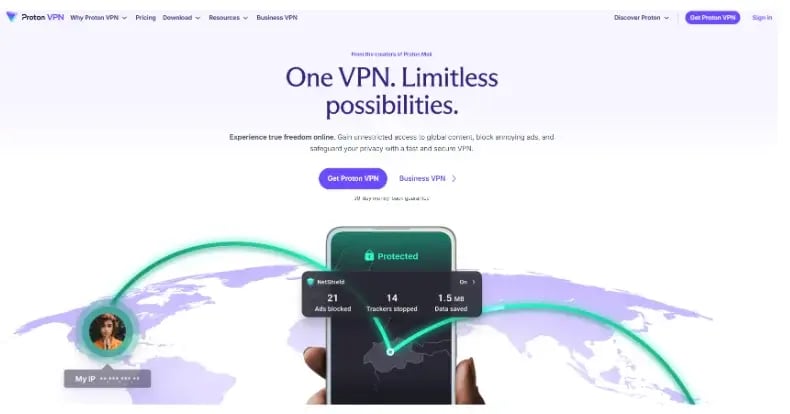
Proton VPN is a strong choice for users who care about streaming but do not want to treat privacy as an afterthought. Its official materials say streaming is available on all paid plans, and Proton’s support pages position VPN Plus as the plan for secure streaming, higher speeds, NetShield ad blocking, and access to its broader global network.
This is also one of the more technically serious products in the category. Proton currently lists 17,000+ servers in 126+ countries, speeds up to 10 Gbps, and up to 10 simultaneous devices on VPN Plus. For users who want a streaming VPN that still feels privacy-led and security-focused, Proton is one of the easiest recommendations on the board.
Pros:
Strong privacy positioning, paid-plan streaming support, large network, NetShield, and up to 10 devices.
Cons:
Streaming is a paid-plan feature rather than the core point of the brand, and the free plan is deliberately more limited than VPN Plus for speed, worldwide streaming, and advanced security tools.
Pricing:
Proton’s support page currently lists VPN Plus at €9.99/month, €47.88/year (€3.99/month), or €71.76 for two years (€2.99/month). Proton Unlimited is listed at €12.99/month, €119.88/year, or €191.76 for two years, with a 30-day money-back guarantee on premium plans.

How to Choose a Streaming VPN
Start with the device you actually stream on. If most of your viewing happens on Apple TV, Android TV, Fire TV, or a smart TV, prioritize services that publish native setup pages for those exact devices. ExpressVPN, Surfshark, NordVPN, CyberGhost, and hide.me all do this particularly well.
Next, decide whether you care more about device count, streaming specialization, or privacy posture. Surfshark is the easiest pick for unlimited devices, CyberGhost is the clearest “streaming-optimized servers” play, and Proton VPN is the most privacy-led of the bunch.
Then check how honest the provider is about limitations. Nord, ExpressVPN, Surfshark, and CyberGhost all maintain active support articles about streaming problems, setup edge cases, or Smart DNS limitations. That is actually a good sign, because it means they are documenting real-world streaming behavior instead of pretending the experience is always frictionless.
Finally, read the pricing page carefully. Some providers lead with one low monthly average but bill upfront for long terms, and some vary prices by region, VAT, or coupons. Surfshark explicitly says pricing can vary by currency, VAT, and applied coupons, while several others present multiple plan lengths or bundle tiers. To compare costs, check the cheapest VPN by monthly price, upfront payment and renewal rate before committing to a long-term plan.
Key Features to Compare Before You Subscribe
- Native TV apps: Direct Apple TV, Android TV, or Fire TV support makes setup much easier.
- Router or connection-sharing options: Important for Samsung, LG, Roku, consoles, and other devices that cannot run VPN apps natively.
- Device limit: This can range from 7 devices to unlimited.
- Streaming-specific tooling: SmartPlay, dedicated streaming servers, or residential IP positioning can matter more than raw server count.
- Refund policy: The difference between 7 days, 30 days, and 45 days matters when you are testing streaming compatibility on your own devices.
Setup Tips for Smart TVs, Fire TV, Apple TV, and Routers
If your TV platform supports native VPN apps, use those first. Apple TV, Android TV, Fire TV, and some smart TV platforms now have much better direct app support than they used to, which is usually the cleanest option.
If your device does not support VPN apps, look for the vendor’s router, Smart DNS, or connection-sharing instructions. NordVPN, Surfshark, ExpressVPN, Mysterium, and PrivateVPN all document workaround paths for unsupported TVs and consoles.
When a streaming app stops working, try the boring fixes first: switch servers, fully close and reopen the app, clear cache, or reinstall the app on platforms where cache clearing is limited. Nord and other providers explicitly document these steps because they often solve the issue faster than anything fancy.
If you use a DNS-based feature instead of a full VPN, understand the tradeoff. ExpressVPN is especially clear that MediaStreamer can improve streaming access on unsupported devices, but it is not a VPN and does not provide the privacy and security benefits of a full VPN connection.
Is It Legal to Use a VPN for Streaming?
In general, VPN use is legal in most countries, but local laws can differ and some countries restrict or ban VPN usage. ExpressVPN, NordVPN, and Surfshark all publish legal guidance along those lines.
Separate from that, you should also follow the terms of the streaming service you use. Nord’s support pages explicitly tell users to comply with applicable laws, regulations, and the terms of websites or services accessed through NordVPN, and Surfshark’s support says illegal use is forbidden under its terms.
The safest framing is simple: use a VPN responsibly, follow local law, and use it to protect privacy and securely access services you are entitled to use.
FAQs
1. What is the best streaming VPN overall in this roundup?
For the broadest mix of official streaming support, I would split the answer by use case: Mysterium VPN for residential IP streaming and travel-focused use, NordVPN for built-in streaming features, and ExpressVPN for smart TV-heavy setups.
2. Which VPN is best for a large household?
Surfshark is the easiest recommendation for bigger households because it offers unlimited devices, while NordVPN, Proton VPN, PureVPN, PrivateVPN, and hide.me all sit at 10-device territory.
3. Which VPN is best if I travel a lot?
Mysterium VPN and CyberGhost both explicitly position themselves around keeping subscriptions usable while traveling, while Surfshark and PureVPN also market travel-friendly streaming access.
4. Are free VPNs good enough for streaming?
Usually only for light testing. Several providers point out that free VPNs often have limits such as slower speeds, fewer servers, or data caps, which can make them frustrating for regular streaming.
5. What should I do if Netflix, Hulu, or another app detects my VPN?
Try switching servers, restarting the app, clearing cache, or reinstalling the app if needed. Providers like NordVPN and CyberGhost document these steps directly in their support articles because streaming compatibility can shift over time.
.webp)
.webp)
.webp)