Date: 24 December 2025
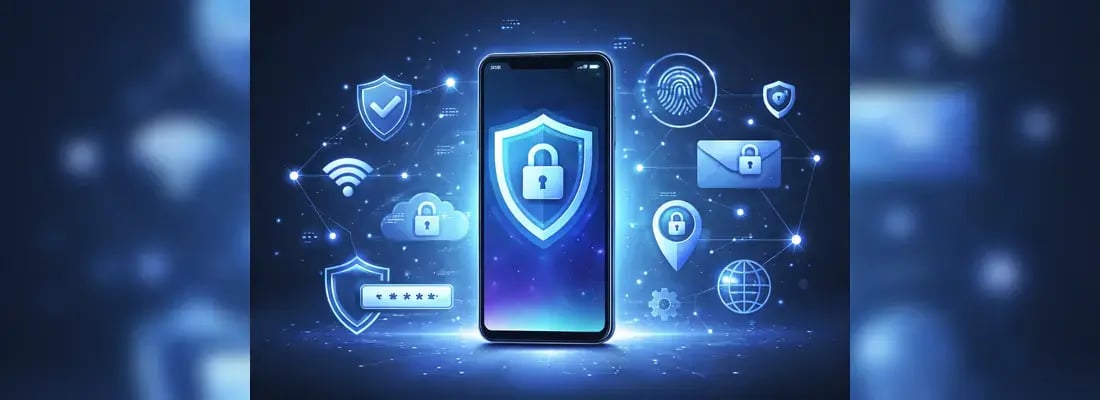
In a highly connected world plagued by sneaky, malicious actors trying to manipulate unsuspecting users into parting with sensitive personal data and funds, secure mobile internet access is a must-have for everyone.
This article explores some practical steps users can take to make the internet on their mobile devices secure.

Use Secure Internet Connections
Internet security starts with how users connect to the internet. It is about implementing preemptive measures that, to a reasonable extent, guarantee privacy and data protection when using the internet. Securing your digital life also means maintaining access to your credentials when you aren't connected, which is why it is helpful to use an offline password manager.
There are three key steps to consider:
1. Prefer Mobile Data Over Public Wi-Fi
Cellular LTE/5G networks are generally considered safer than public Wi-Fi. Mobile networks are usually secured by WPA2 encryption by default, unlike most public Wi-Fi networks that offer shared, unencrypted networks, leaving users prone to various risks, including man-in-the-middle attacks and snooping.
More so, attackers sometimes set up rogue, public Wi-Fi networks in crowded places to steal people’s information. Therefore, it’s generally better for internet users to stick with their mobile data for internet access when in public. However, Wi-Fi might still be a good choice when in a trusted location, such as the office, especially if it is encrypted.
For business users, provisioning employees with dedicated SIM-only plans helps enforce data policies while keeping traffic on encrypted LTE/5G rather than risky public Wi‑Fi. Many providers include centralized management, data pooling, and eSIM support for flexible, secure connectivity—explore and shop business SIM plans that align with your company’s security posture.
2. Use a VPN on All Devices
Whether mobile data or Wi-Fi, it is still important to add an additional layer of protection over devices before accessing the internet. This is where VPN comes in as a virtual mask for browsing data, shrouding user activity on websites and preventing data brokers from harvesting and selling their personal data.
Given the ubiquity of VPN services, it is important to note that, as with rogue Wi-Fi networks, some VPN providers, especially free VPNs, operate solely for the purpose of harvesting user data. Due diligence must be done to choose a reputable VPN provider.
3. Enable HTTPS-Only Browsing
Browsers and apps protect user data by using built-in features like Hypertext Transfer Protocol Secure (HTTPS) encryption, third-party cookie blocking, and private browsing modes.
A closed padlock icon and “https://” before a web address indicate that a website is using a secure connection to interact with a browser. Accessing websites without these indicators or with “http://” without the “s” immediately puts internet users at risk of exposing their passwords and payment information to attackers.
For extra protection, it’s also better to manually block third-party cookies or use private browsing modes.

Strengthen Device-Level Security
In some cases, it is what people do or don’t do on their devices that sets them on the path to malicious attacks immediately when they connect to the internet.
Below are some must-dos for a secure internet connection on the device level:
1. Keep Your OS and Apps Updated
Device manufacturers regularly release security patches to address prevailing vulnerabilities across their devices. Enabling automatic updates helps users stay ahead of threats as they emerge.
2. Enable Two-Factor Authentication (2FA)
Two-factor authentication (2FA) and multi-factor authentication (MFA) add an extra layer of security for mobile devices and apps, including email, financial apps, and cloud accounts. Fundamentally, 2FA and MFA are designed to use two or multiple authenticators to restrict device or app access to the owner.
As a result, even if a malicious actor gets hold of one authentication mode (such as a password or PIN) online, the second authenticator (such as OTPs, biometrics, etc.) stops them in their track.
3. Use Strong Passwords and a Password Manager
Create strong, unique passwords when creating new accounts on websites and in apps, and store them securely in a reputable password manager. Up-to-date iOS and Android devices come equipped with strong password managers that can suggest and store unique passwords for different websites and applications. Leveraging these features ensures stronger protection for user accounts while eliminating the risk of losing or mixing up passwords.
Alternatively, biometrics can suffice in place of or in addition to passwords, as they greatly enhance security while enabling faster logins for users.
4. Adjust App Permissions
No app should have access to sensitive permissions like location, camera, microphone, messages, and contacts at all times. These permissions are crucial for privacy and security, and their misuse can lead to data theft, tracking, unauthorized recording, or even unauthorized access to other apps’ data.
Enhancing device-level security, in this regard, means allowing only essential permissions for apps that have rational and relevant reasons for requesting access to those features.
For rarely used apps, permissions should be set to “Ask Every Time” or “Don’t Allow.” In the case of location permissions, “Allow Only While Using the App.”
Lastly, it’s important to make it a habit to remove unused or suspicious apps once noticed.

Ensure Safe Use of Mobile Hotspots
Conversations about internet safety often focus on how to connect to and use the internet safely. How users share their internet with others is an often forgotten but crucial consideration that could save internet users from a lot of trouble.
When using mobile hotspots, it’s absolutely important to:
Create a Strong Hotspot Password
Using default passwords for hotspots creates room for unknown users to gain access to the hotspot network. So setting up strong passwords for a hotspot network can help limit unauthorized access.
In addition to having a strong password, access can be restricted by limiting hotspot visibility, typically by adjusting the hotspot settings to hide the network name from the public.
Monitor Connected Devices
It is not unheard of that malicious actors connect to people’s hotspots to conduct fraudulent activities that could be traced back to the person sharing the hotspot. This is possible because the devices connected to a given hotspot use the originating device’s unique IP to access the internet.
More so, malicious actors can initiate man-in-the-middle attacks via a personal network.
Therefore, it makes sense to allow access only to trusted devices and, in doing so, also set usage limits. Unknown devices should be disconnected immediately.
Avoid Hotspot Use for Sensitive Activities
To limit the success of malware or spyware attacks, it’s important to turn off hotspot connections when using a given mobile device for sensitive activities, such as confidential messages, online banking, or other financial operations.
This applies to hotspot owners as much as hotspot users, and is especially the case when running an unsecured network or sharing a network with untrusted individuals.

Safe International Mobile Top-Ups: How to Protect Your Balance and Personal Data
Beyond the above-discussed considerations, the next focus is on the activities that happen over the internet.
Mobile top-ups over the internet stand at the fine intersection between finances and connectivity, two crucial activities that, if not navigated safely, could result in financial losses, identity theft, or other grave consequences.
For safe international mobile top-ups:
Use Reputable Top-Up Platforms
Choose well-known apps and services, like BOSS Revolution, that carry only verified vendors and provide secure payment gateways to ensure the security of personal data and transactions.
Verify the Recipient’s Number and Carrier
To avoid sending a balance to the wrong account, double-check the recipient’s number and carrier before initiating a transaction.
It is also important to ensure compatibility with the mobile operator in the destination country.
Prefer Secure Payment Methods
As a rule of thumb, only use cards or wallets with fraud protection when funding mobile top-up wallets.
Also, remember to disconnect from personal hotspots and from public Wi-Fi when entering card details on the mobile top-up platform.
Recognize Threats Targeting International Top-Up Users
Beware of fake promotions, phishing, and smishing messages pretending to come from telecom operators, but targeted at extracting sensitive data.
Avoid unknown websites offering unusually cheap rates. In some cases, they are bogus sites for stealing user data. In some other cases, such sites have poor security infrastructure, exposing users to illegal mobile top-ups.
Use Top-Ups to Provide Secure Internet to Family Abroad
Mobile data top-ups are a great way for people to help their relatives stay safe over the internet, as they ensure stable, private access through their own mobile network.
By helping their relatives avoid unsafe public Wi-Fi, people get to protect the sensitive information their loved ones have on their devices, including that which pertains to them.

What to Do If Your Mobile Security Is Compromised
Below are some steps to take to address compromised mobile security:
- Scan your device for malware: Use built-in or highly rated, reviewed, and trusted security apps to automatically scan and remove malware. If technically inclined, consider safe mode diagnostics.
- Change all important passwords: Especially banking, email, and cloud apps.
- Contact your carrier: For SIM swap concerns, strange messages, or unauthorised top-ups, contacting the network provider should be the first line of defence.
- Secure your accounts and factory reset (if necessary): In extreme scenarios where a malicious attack seems persistent, it might be best to factory-reset the mobile device.
- For Android devices: The factory reset option is typically accessible via Settings > About Phone > Factory Reset
- For iOS devices: The factory reset option is typically accessible via Settings > General > Transfer or Reset iPhone.
A factory reset should be the last line of defence when addressing compromised mobile security, as it could also lead to the loss of important files (if they are not backed up).
Conclusion
With the right habits, it can be easy to use the internet safely. Smartphone and mobile app developers are already doing a lot to ensure that users are protected when they access the internet. However, it is also left to users to take extra steps to plug potential loopholes that increase their vulnerabilities.
Simple steps like only using secure and trusted networks, updating devices regularly, safe mobile top-up practices, and overall careful app use can make all the difference between secure and unsecure internet access.
Lastly, to rehash the age-old saying, “Prevention is better than cure,” proactive protection is easier than recovering from a breach.

.webp)