
Date: 20 October 2026
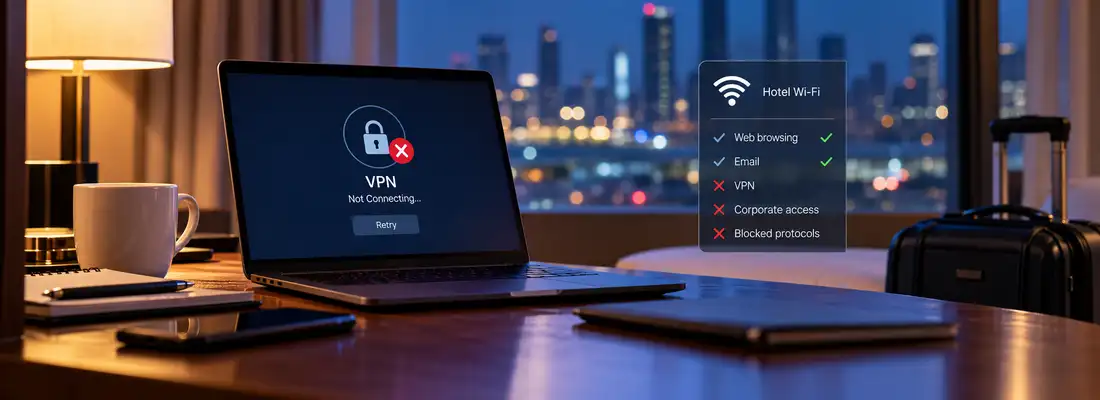
A remote access policy usually assumes the tunnel will come up. On hotel and conference networks, it often does not, and nobody wrote down what happens next.
The 11 PM Call Nobody Planned For
Anyone who has run a service desk knows the pattern. A senior employee lands for a client meeting, opens the laptop in the hotel room, and the corporate VPN client spins until it times out. The helpdesk is closed. The presentation is due at nine.
What happens in the next fifteen minutes is the actual security event. Most incident response plans cover a compromised endpoint or a phished credential. Very few cover an employee who has been locked out of the safe path and is looking for any other one.
Why the Tunnel Dies Before Anyone Authenticates
Hotel and venue networks are built for guests streaming video and checking email, which means web traffic on TCP 443 and little else. Many managed Wi-Fi platforms drop or throttle UDP outside DNS. That breaks a large share of enterprise remote access at once: IPsec with IKEv2 negotiates on UDP 500 and moves to UDP 4500 when NAT traversal kicks in (the encapsulation defined in RFC 3948 back in 2005), and WireGuard-based clients run on UDP only.
Consumer VPN apps handle this by falling back. A September 2026 walkthrough from Gizmodo on getting a tunnel back up on a network that refuses it blocked outbound UDP on a Windows 11 machine and recorded three commercial apps recovering on their own, switching to TCP or a disguised protocol in anywhere from under ten seconds to about ninety. Enterprise clients are often configured with no such fallback, because the gateway team never enabled a TCP 443 listener or switched it off to shrink the attack surface.
Stricter networks add deep packet inspection. University of Michigan researchers, working with a million-user ISP, showed at USENIX Security 2022 that OpenVPN connections can be fingerprinted reliably: their framework identified more than 85% of OpenVPN flows with negligible false positives, and caught 34 of 41 commercial configurations sold as obfuscated. A conference venue running commodity DPI has fewer reasons to bother. Some do anyway, and the corporate client usually loses.

What Staff Actually Do Next
The first option is to give up on the tunnel and work over the hotel network directly, logging into SaaS tools that do not require the VPN. If conditional access is configured well, this is fine. If it is not, session tokens for email and file storage are now crossing a network shared with several hundred strangers, which is exactly the exposure the VPN mandate existed to prevent.
The second is a phone hotspot. Security teams tend to treat this as harmless, and it mostly is. Mobile data sidesteps the hotel filter entirely, and the corporate client usually connects.
The third causes the real trouble. A frustrated employee installs a free consumer VPN on a managed laptop, or on a personal device to which documents then get forwarded. That app was never assessed. Its logging practices, jurisdiction and update channel are unknown, and from the SOC the traffic looks like one more encrypted session to an unfamiliar host.
None of this appears in the incident log.
It rarely surfaces later either. The VPN client records a failed connection, the identity provider records a successful sign-in from a hotel IP range, and the endpoint agent may or may not flag a new application depending on how software inventory is set up. Each entry looks routine on its own. The sequence only makes sense to someone who already knows the employee was travelling, which is why these episodes tend to come to light during audits rather than investigations.

Three Lines for the Travel Security Policy
Fixing this costs less than responding to it. The gateway should offer a TCP 443 fallback, either SSL VPN or IKEv2 wrapped in TLS, and the client should try it automatically instead of showing a generic connection error. Testing takes ten minutes: block UDP on a lab machine, the same way the consumer tests do, and watch what the client does.
Always-on configurations deserve a second look at the same time. A client that blocks all traffic until the tunnel is up works well on a café network and paralyses a laptop behind a captive portal, because the employee cannot reach the login page that would let the tunnel start. Most enterprise clients support a captive portal exception. It is frequently left disabled.
The policy should name an approved fallback in plain language. "If the VPN will not connect, switch to your phone hotspot and reconnect" is a sentence employees remember at 11pm. A vague ban on "unauthorised networks" is not.
And the out-of-hours contact has to exist. A tabletop exercise that opens with a travelling director locked out of remote access, two hours before a board presentation, exposes gaps quickly: who picks up the phone, who can approve an exception, and whether anyone would notice if the director had quietly installed something else.
Organisations that rehearse ransomware every year rarely rehearse this scenario. It happens far more often, and it is cheaper to get right.

.webp)
.webp)
.webp)